

Projects · Pro + PyME
Keep every project connected to the work
Bring clients, dates, team members, tasks, Notes, and useful links into one project workspace.
Start 7-day trialPlans: Pro and PyME
What stays in reach
The essentials for this part of the work.
Client, manager, dates, tags, and resources
Project Notes with private or team visibility
Tasks and team details inside each project
Overview
Know where the project stands
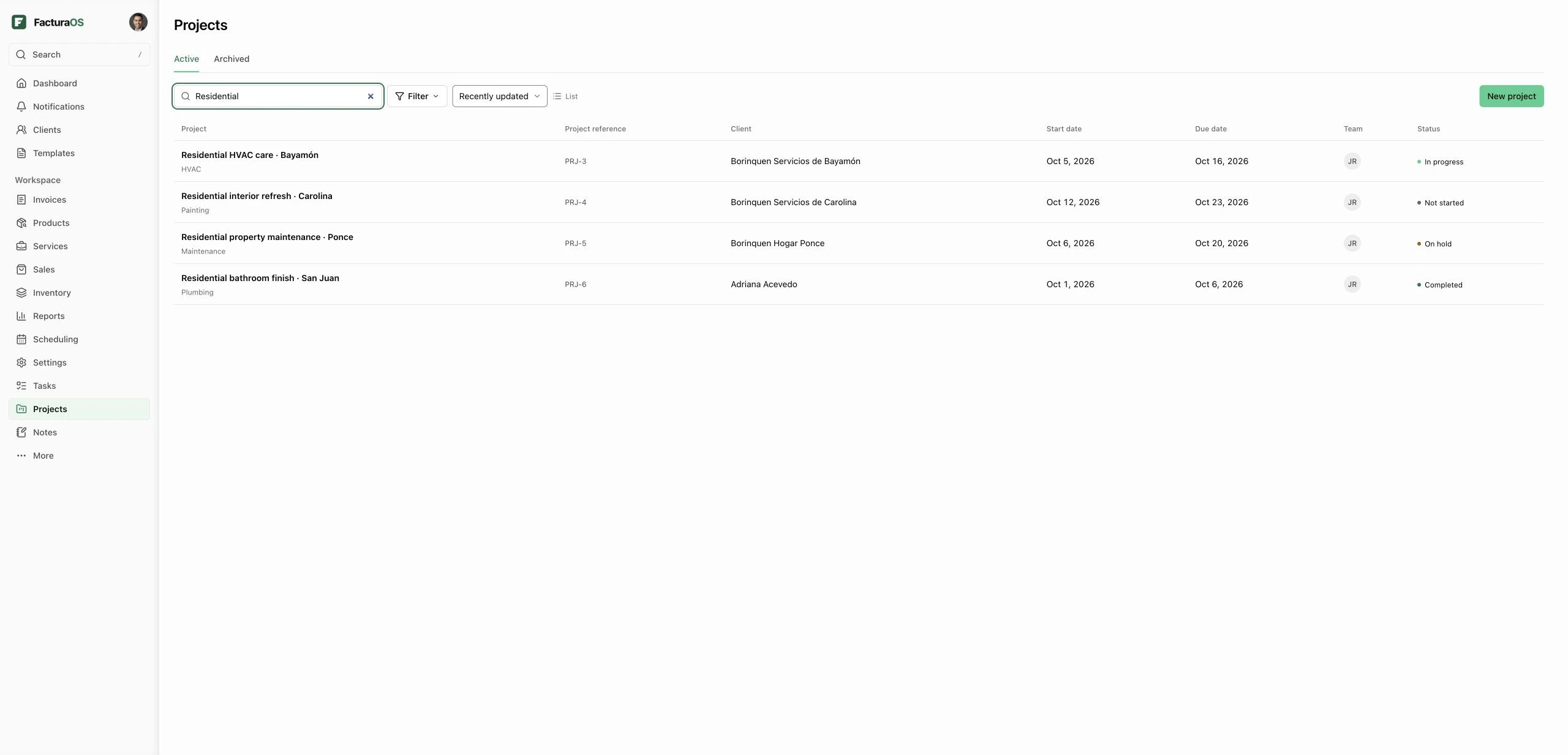
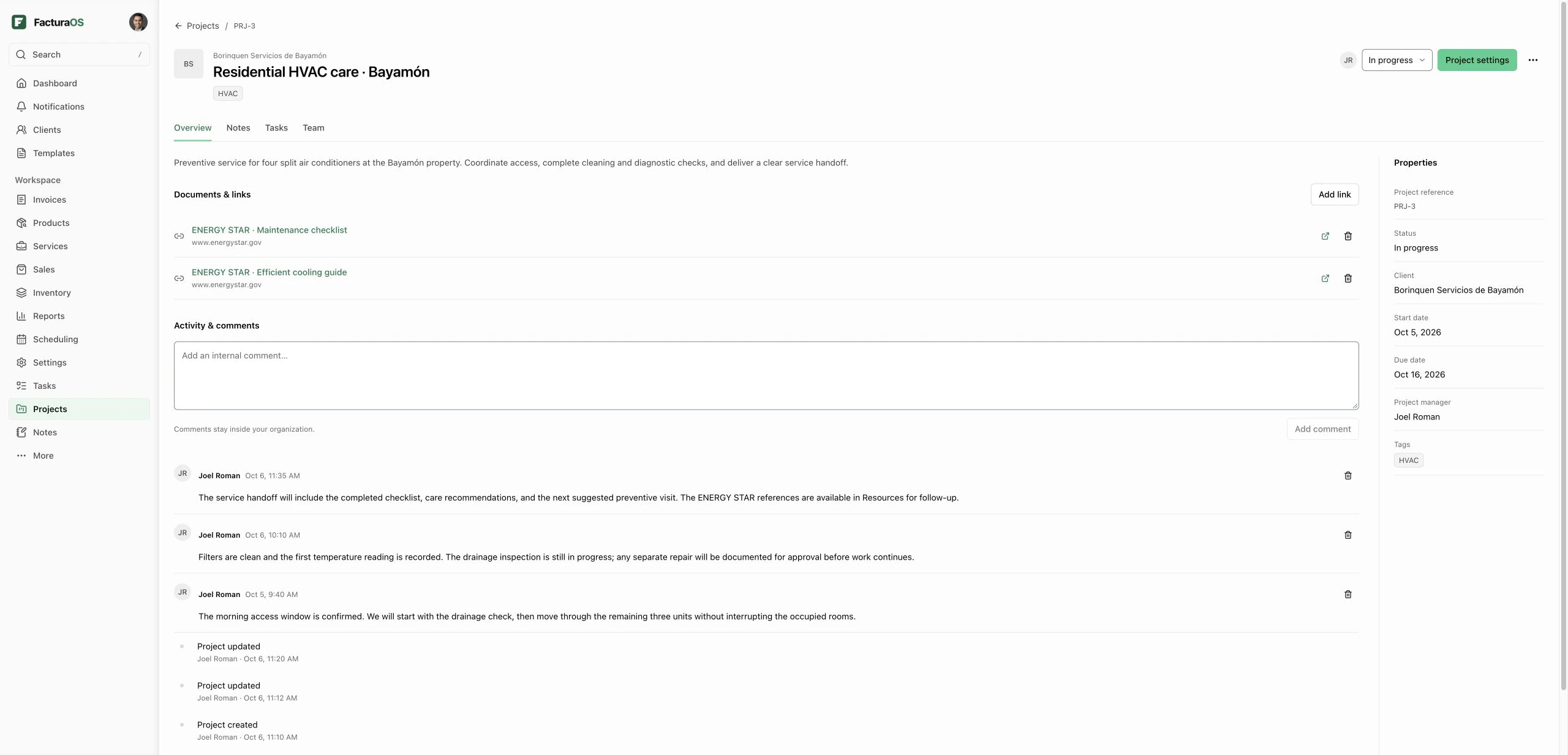
Connect a project to a saved client, set its status and dates, and choose a manager and team from your organization. Keep reference links and internal comments alongside its activity. Search, filter, and sort the register to find the next project to move forward.
- Client and team context
- Status and dates
- Resource links
- Comments and activity
Connected work
Keep Notes and tasks in the project
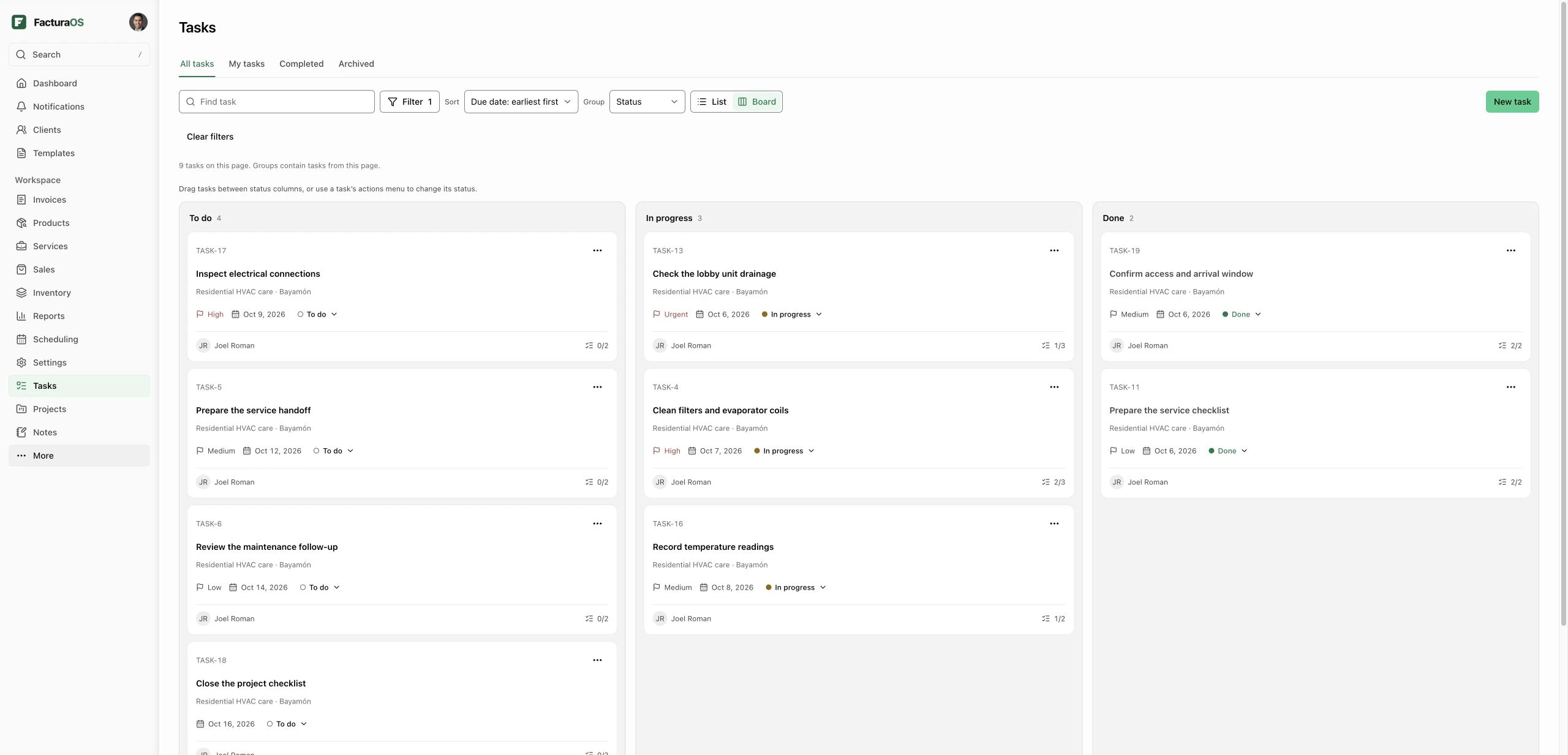
Open Notes and Tasks directly inside the project. New project Notes carry a Project record link, and existing Notes can be connected through their record picker. Private Notes keep their creator-only visibility; adding a project does not share them with the team. Archive completed projects and restore them when work resumes.
- Linked project Notes
- Project tasks
- Existing visibility rules
- Archive and restore
Questions about this feature
Direct answers before you add this process to the day.
Which plans include Projects?
Projects is included with active Pro and PyME access on SaaS web. Individual and new seven-day Individual essentials trials do not include it. Authorized organization members can view projects; workspace roles govern editing.
Does adding a project make a private Note visible to others?
No. A Project record associates the Note with the project while preserving its private or team visibility. Only authorized users who can already access the Note can read it.
Can I delete a project?
Authorized managers can permanently delete a project after confirmation. Its team links, resources, comments, activity, and task lists are removed. Linked Tasks and Notes remain, with their project links removed. Archive instead when you may need the project again.
Are project expenses and time tracking included?
This version provides Overview, Notes, Tasks, and Team. Project expenses, time tracking, project billing, guest invitations, and Ops mobile project editing are not included.
Projects · Pro + PyME
Bring the next step into one workspace.
Open your business account and keep this work connected to the rest of the day.