

Tasks · Pro + PyME
Make the next step clear for your team
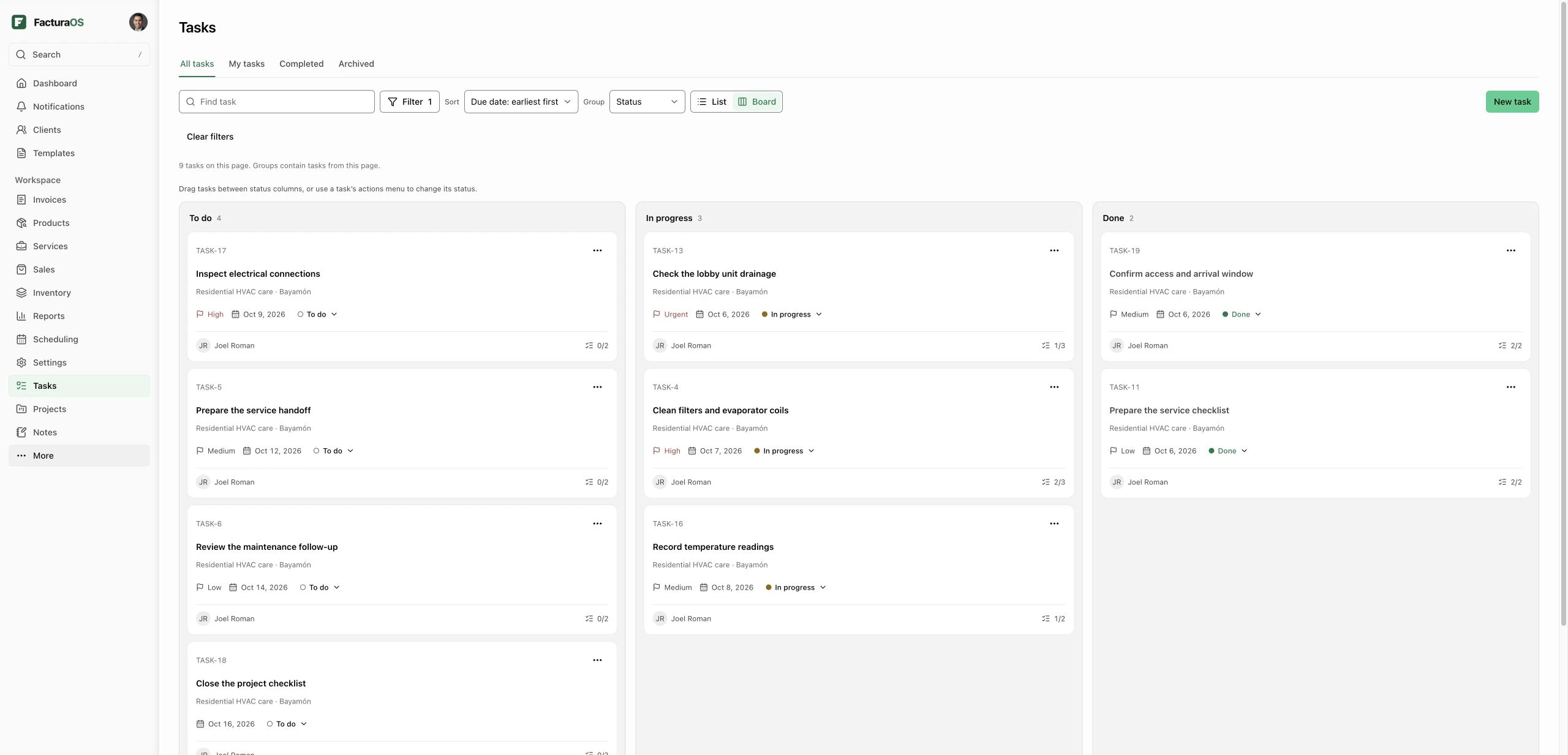
Assign tasks, choose priorities, set dates, and follow progress in a list or board. Connect tasks to a project when the work belongs together.
Start 7-day trialPlans: Pro and PyME
What stays in reach
The essentials for this part of the work.
Assignees, priorities, status, and dates
Subtasks and internal comments
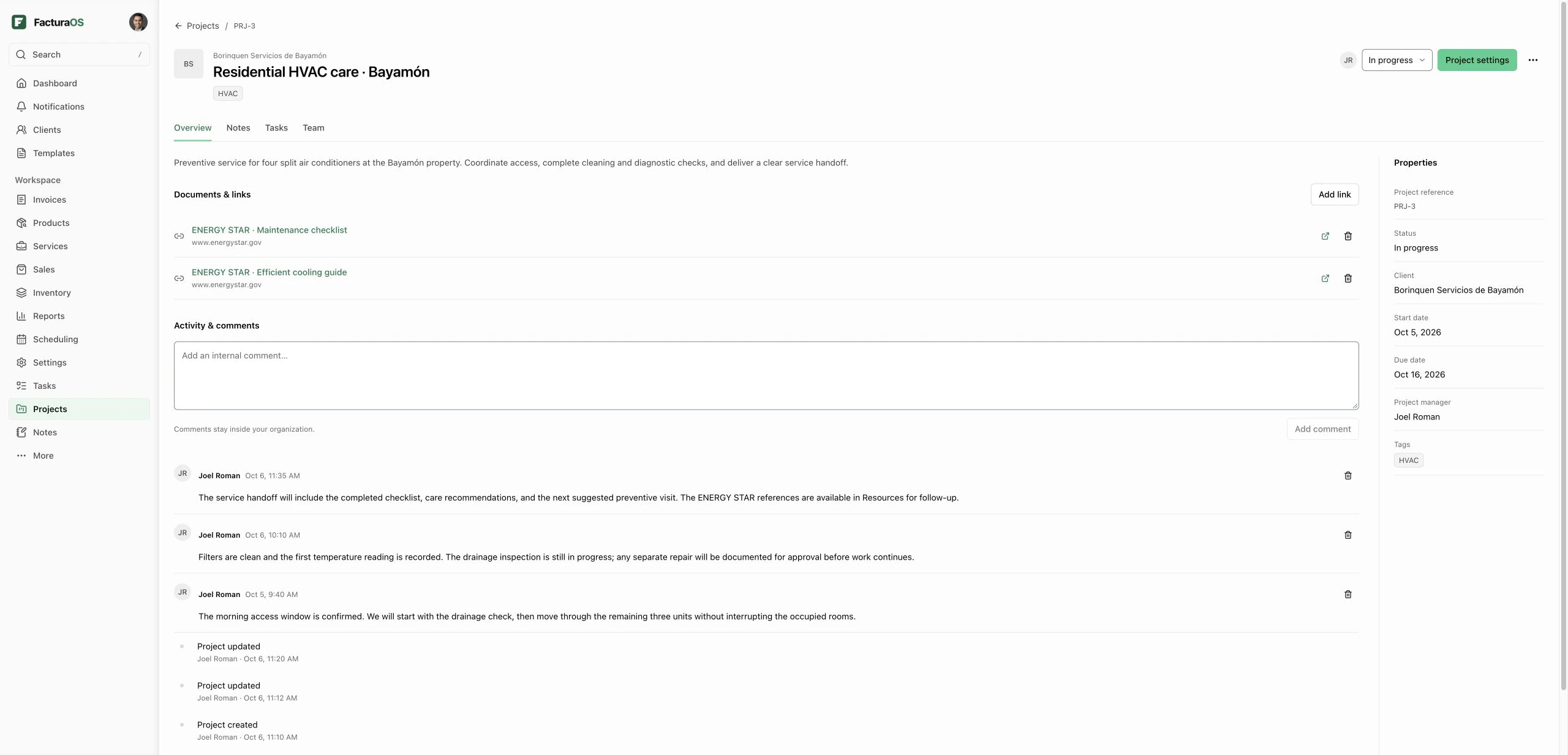
Standalone tasks or tasks linked to a project
Plan
Give each task the context it needs
Write a task description, add checklist subtasks, choose assignees from your workspace, and set priority, start and due dates, and tags. Use project task lists to organize related work and keep discussion in internal comments.
- Team assignments
- Priority and dates
- Checklist subtasks
- Task lists and comments
Follow through
See what needs attention next
Find your work with search and filters, change the register sort, and group tasks into the view that helps your team. Move between list and board views. Drag tasks between status columns or use the keyboard-accessible status menu. Cards keep priority, dates, assignees, and progress easy to scan. Archive work you want out of the active register and restore it later.
- Search and filters
- Sort and grouping
- Accessible status changes
- Archive and restore
Questions about this feature
Direct answers before you add this process to the day.
Do tasks need a project?
No. Tasks can stand on their own or be linked to a project in the same workspace. Project Tasks displays the work associated with that project.
Who can update tasks?
Active Pro and PyME organization members can view tasks. Authorized workspace roles manage task details; assigned staff can update their assigned task's status through a restricted action.
Do tasks include recurring work or time tracking?
This version includes assignments, priorities, dates, subtasks, task lists, comments, and activity. Recurrence, dependencies, file attachments, time tracking, automated notifications, and Ops mobile task editing are not included.
Tasks · Pro + PyME
Bring the next step into one workspace.
Open your business account and keep this work connected to the rest of the day.